Compass icon
The companion app for Cursor

Your Cursor companion,
built for parallel work

Compass keeps every project and PR in view, lets you resume any Cursor workspace in one click, and spins up isolated, parallelizable workflows with git worktrees — so nothing you're running blocks anything else.

Download for Mac See it in action

Version 1.0.25 · macOS 15 Sequoia or later · Free
Resume any Cursor workspace in one click Isolated, parallel workflows via git worktrees Every project and PR tracked automatically
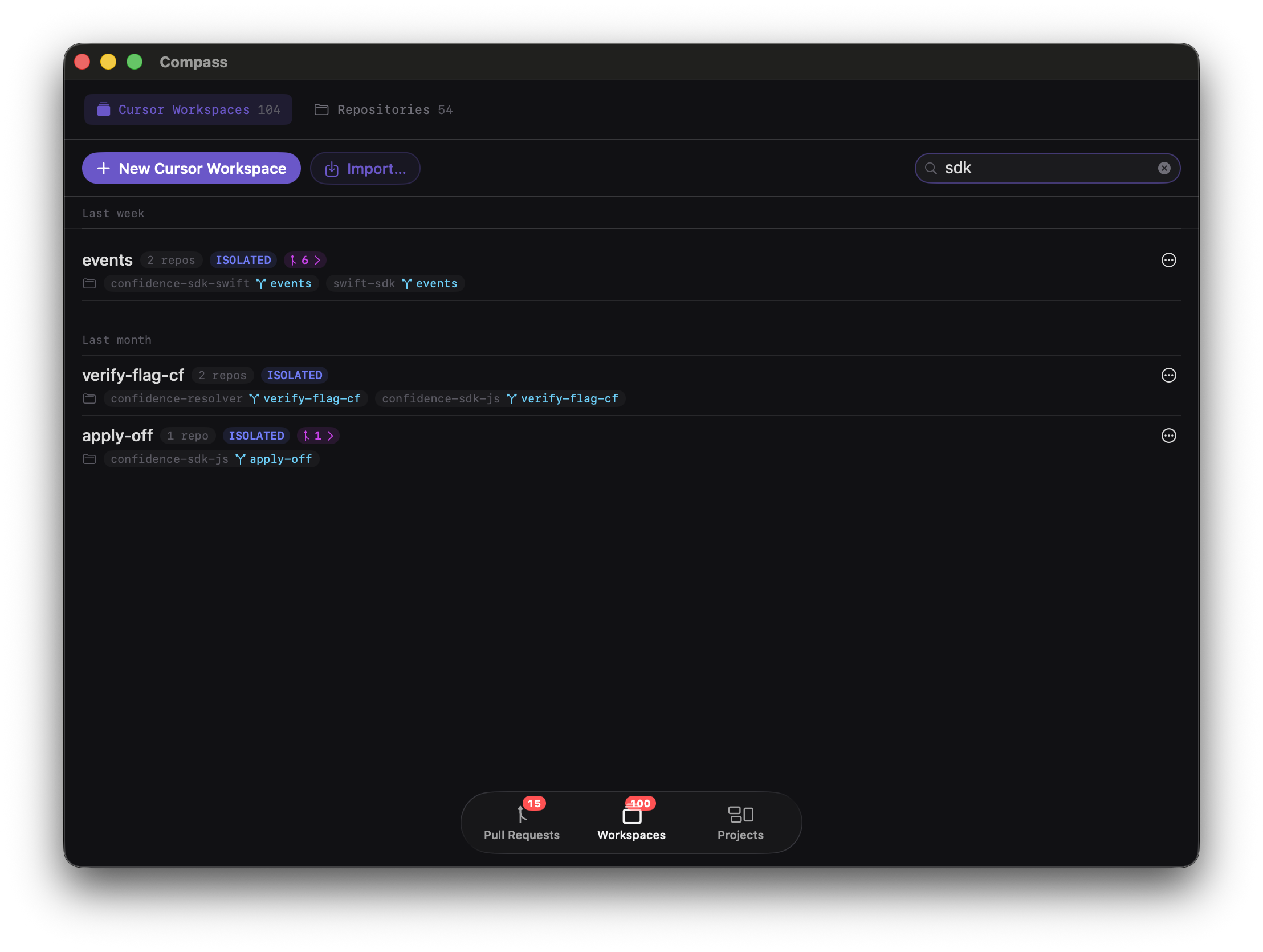
Workspaces view in Compass

01 · Workspaces

Resume any Cursor workspace, instantly

Compass scans your machine for git repos and surfaces branch, PR, and comment activity — jump straight back into Cursor with the right folder already open. Spin up an isolated workspace and Compass creates a dedicated git worktree per repo, so you can run several Cursor sessions on different branches in parallel without any of them stepping on each other.

Instant resume Isolated worktrees Run in parallel
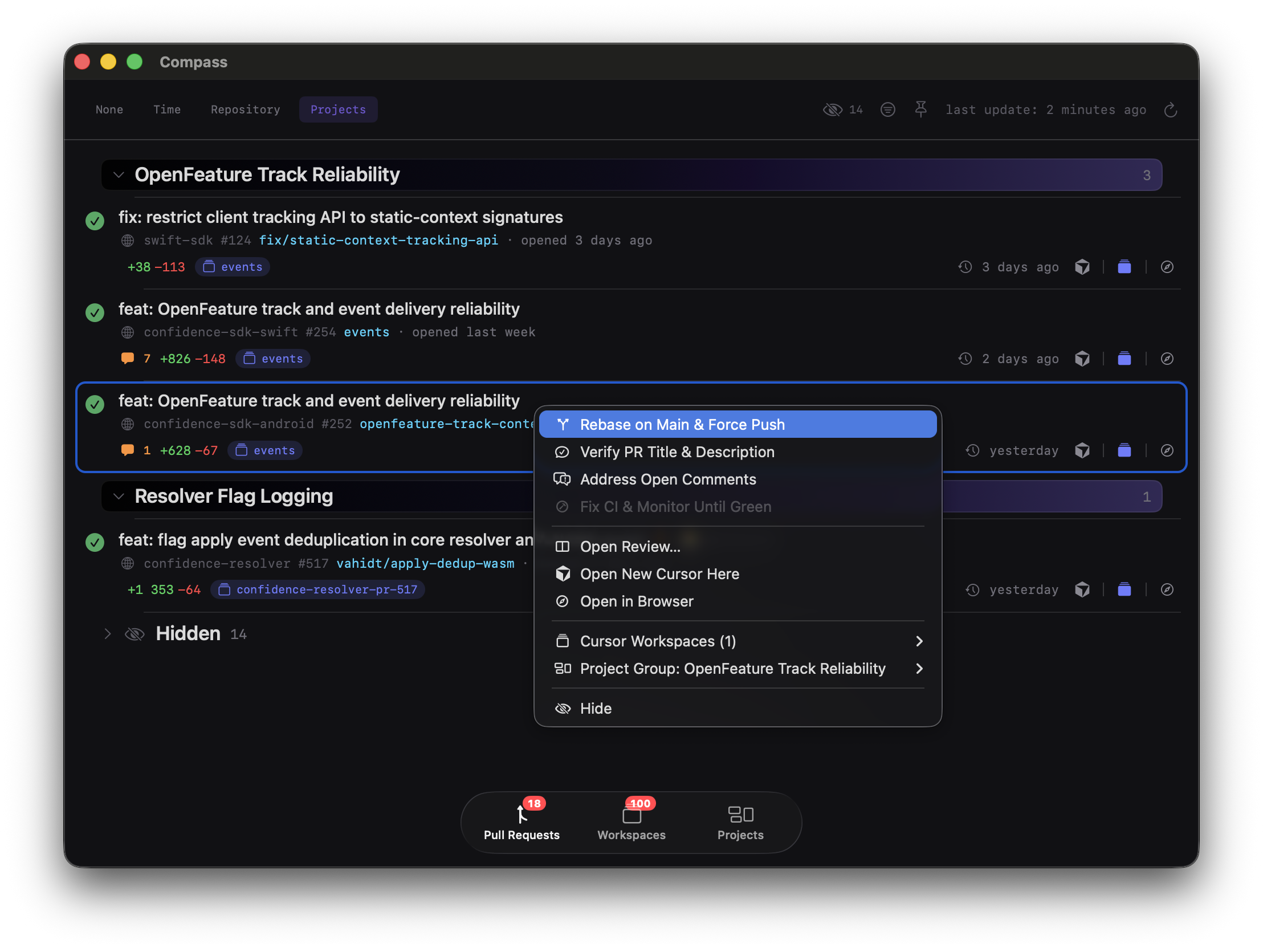
Pull Requests view in Compass

02 · Pull Requests

Every PR, tracked without leaving Compass

Live CI status, review threads, and AI summaries roll up automatically — grouped by epic so you always know what's blocked and what's ready to ship.

Live CI Smart grouping AI reviews
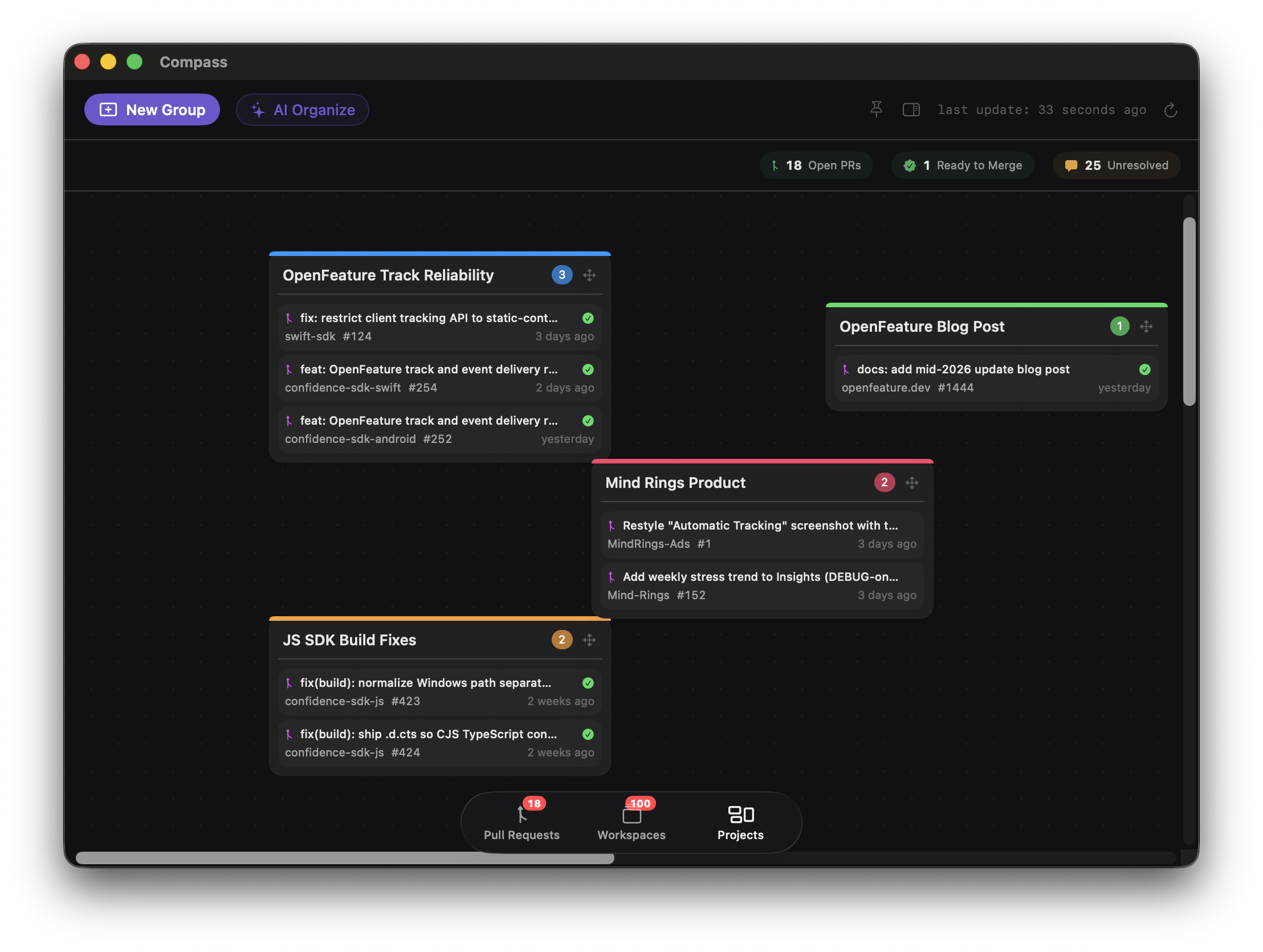
Projects view in Compass

03 · Projects

All your ongoing work, one canvas

Drag related PRs and repos into freeform groups, keep an eye on open counts and CI failures at a glance, and pick back up exactly where you left off — across every parallel Cursor workspace you've got running.

Canvas board Custom clusters At-a-glance status

Give your Cursor workflow a home.

Compass is free, native, and ready alongside Cursor in under a minute.

Download for Mac